
You did not mean to let it expire. Nobody ever does. Maybe the renewal email went to an old inbox. Maybe the calendar reminder fired on a Saturday. Maybe you just had a busy week and assumed auto-renewal was on. Whatever the reason — the domain is gone. And what happens next moves far faster and does far more damage than almost anyone realises.
Most people, when they think about an expired domain, picture one thing: the website goes offline. A bit embarrassing, easily fixed. Renew it, wait a couple of hours, back online.
That picture is dangerously incomplete.
The reality of what happens when a domain expires plays out across hours, days, and weeks — and each phase is worse than the last. By the time many businesses realise what has happened, the damage is already done across multiple layers: website, email, SEO, customer trust, and in the worst cases, the domain itself.
This blog walks you through the complete, accurate timeline — hour by hour, day by day. Not to scare you, but to make sure you understand exactly what is at stake — and exactly how to prevent every phase of it from ever starting.
What This Blog Covers
The complete domain expiry timeline — from Hour 0 to the moment the domain can be permanently lost • What happens to your website, email, SEO, and business at each stage • Why auto-renewal and registrar reminder emails are not reliable safety nets • How automated domain monitoring prevents the entire timeline from starting
First — What Does 'Domain Expiry' Actually Mean?
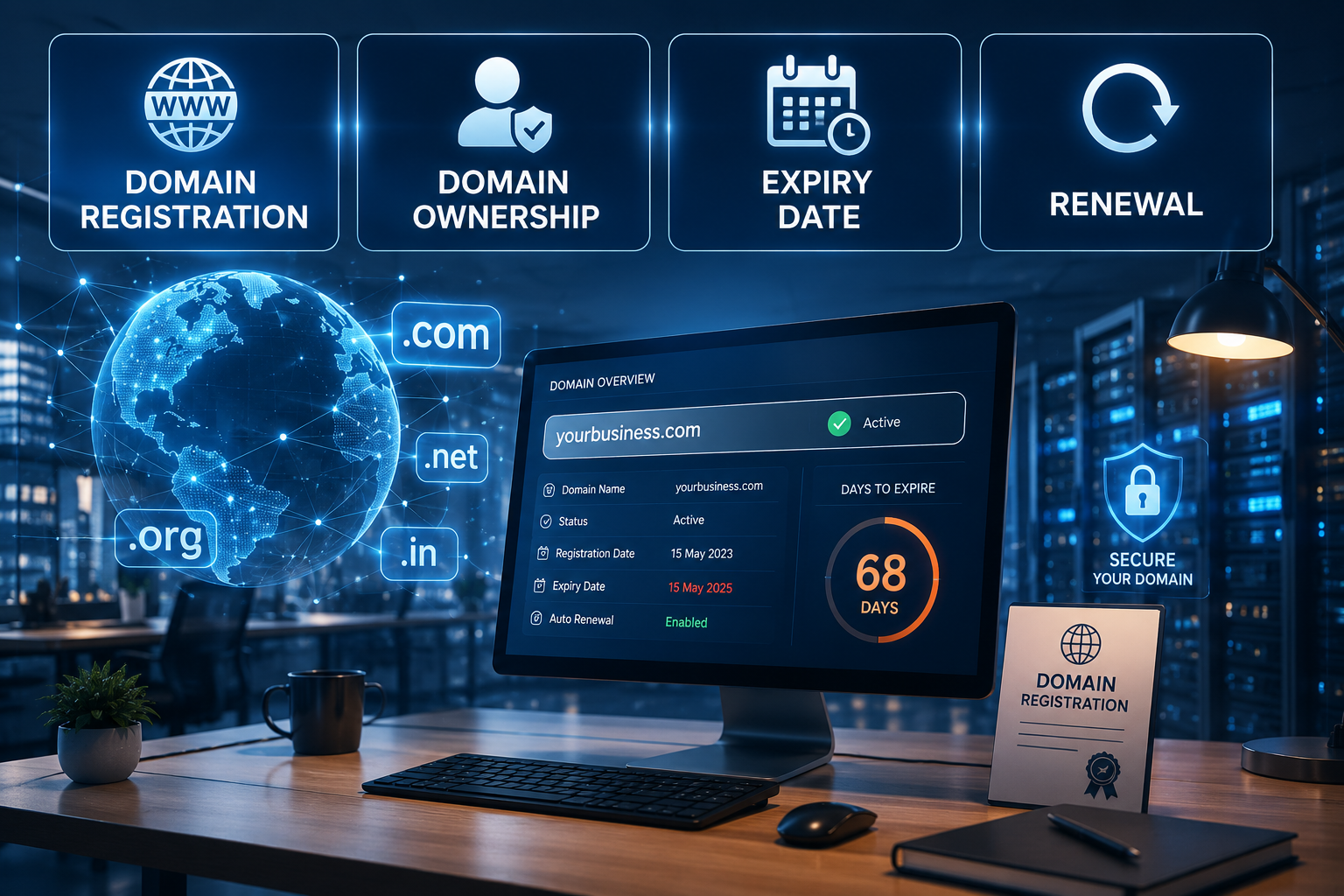
A domain name — yourcompany.com, yourstore.in, yourclinic.org — is not something you own outright. It is something you rent, through a domain registrar, for a fixed period of time. Most registrations last one year, though you can register for up to ten years at a time.
When the registration period ends and you have not renewed it, the domain enters a series of phases that are determined by the registrar and the domain registry — the organisation that manages the top-level domain (like .com, .in, .org). Each phase has a different status, different visibility, and a different window for recovery.
Understanding these phases is not just a technical exercise. It is essential business knowledge for anyone whose company’s digital presence — website, email, online store, booking system — depends on a domain name. Which, in 2025, means virtually every business that exists.
Auto-Renewal Is Not a Guarantee
Many domain owners believe their domain is safe because auto-renewal is enabled. It is not a guarantee. Auto-renewal fails when: the card on file expires or is declined, the billing address does not match bank records, the registrar has a technical issue, or the email for payment confirmation goes unmonitored. Thousands of auto-renewal failures happen silently every month. Active monitoring — not auto-renewal alone — is the only reliable protection.
The Complete Domain Expiry Timeline
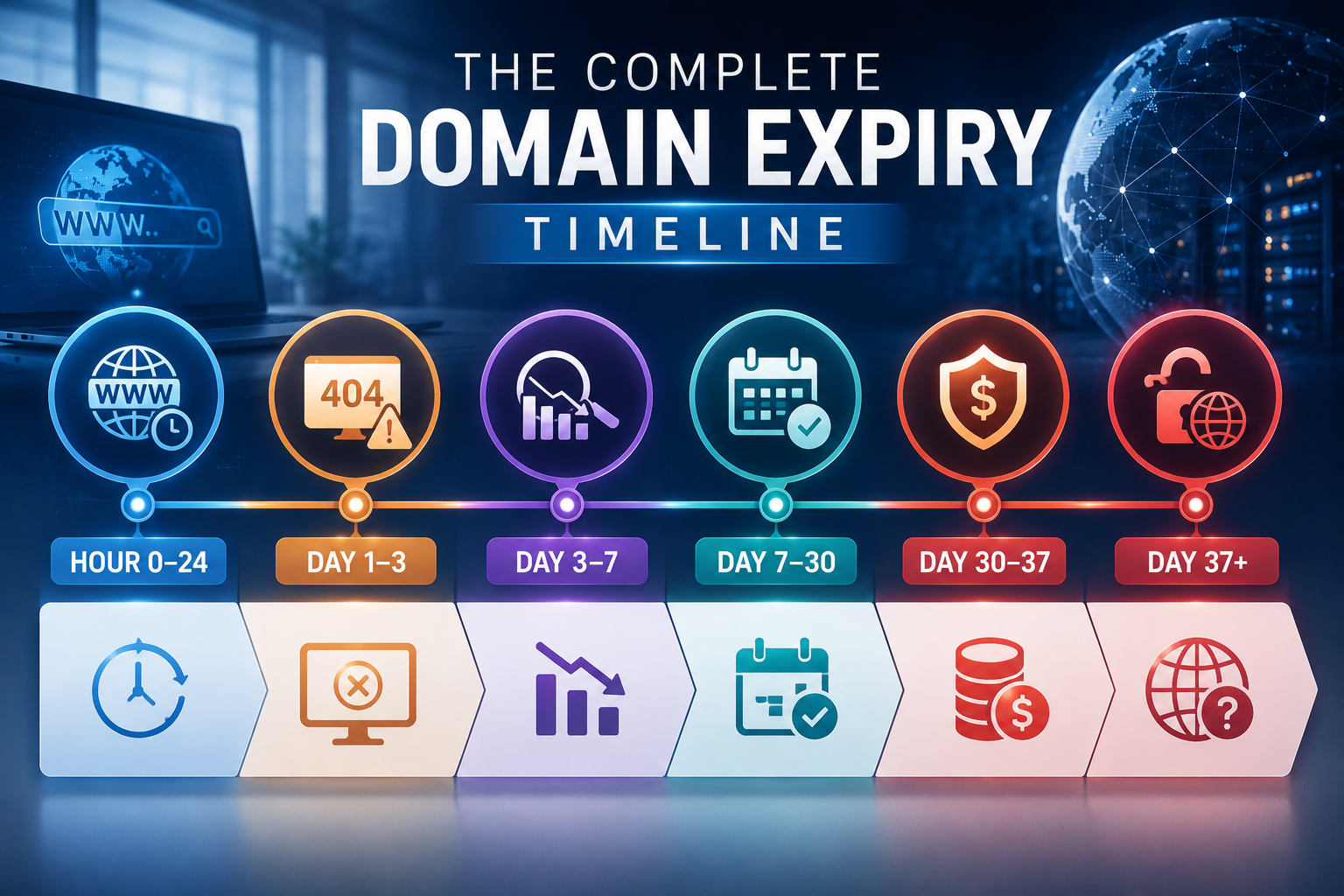
Here is what actually happens — phase by phase — from the moment a domain lapses.
Expiry Moment
At the exact timestamp of expiry — often midnight UTC — the domain’s status changes from ‘active’ to ‘expired’ in the registrar’s system. No dramatic event happens immediately. The website may still appear to load. Emails may still appear to send.
Critical Insight
This is the most dangerous window — the silent window. Everything looks normal on the surface. But underneath, a countdown has begun that you are not aware of.
First Visible Failures
Within hours of expiry, DNS propagation begins to reflect the change. Depending on the registrar and DNS TTL (Time to Live) settings, visitors may start seeing:
🌐 Domain Parking Page
A registrar-branded ‘domain expired’ parking page instead of your website.
🚫 Browser Error
A generic ‘This site can’t be reached’ browser error.
⚠ DNS Failure
An NXDOMAIN (non-existent domain) error in some browsers.
Professional emails — info@yourdomain.com, hello@yourdomain.com — may begin to bounce. Inbound emails are rejected. Outbound emails may not deliver. Your communication infrastructure is now compromised.
Business Impact
Your clients, customers, and partners start noticing. They don’t call to report it kindly. They quietly go elsewhere.
Public Visibility of Failure
SEO Rankings Begin to Drop
Every day your site is unreachable, you are losing the SEO equity you built over months or years. Competitors whose sites are online and functioning properly move up to fill the positions you vacate.
Email sender reputation — scored and tracked by providers like Gmail and Outlook — also starts to degrade. Emails from your domain, even after restoration, will face heightened spam filtering for weeks.
The Grace Period
Countdown Continues
The grace period is not a safety net. It is a countdown. Every day inside it is a day of compounding damage.
Redemption Period
Recovery Cost Alert
The domain is still technically yours to reclaim — but only if you act within this window, and only if you can absorb the redemption fee. All the while, your website remains offline, your emails remain broken, and your SEO damage continues to accumulate.
Domain Goes Public
Critical Outcome
Domain squatting bots run 24 hours a day, 7 days a week, scanning registries for newly released domains. High-value domains — especially those with an established business history, existing backlinks, and SEO authority — are purchased within minutes of release. Sometimes seconds.
Years of brand building, SEO equity, backlinks, and customer recognition — attached to a domain you can no longer access.
The Compounding Effect: Why Every Extra Day Costs More
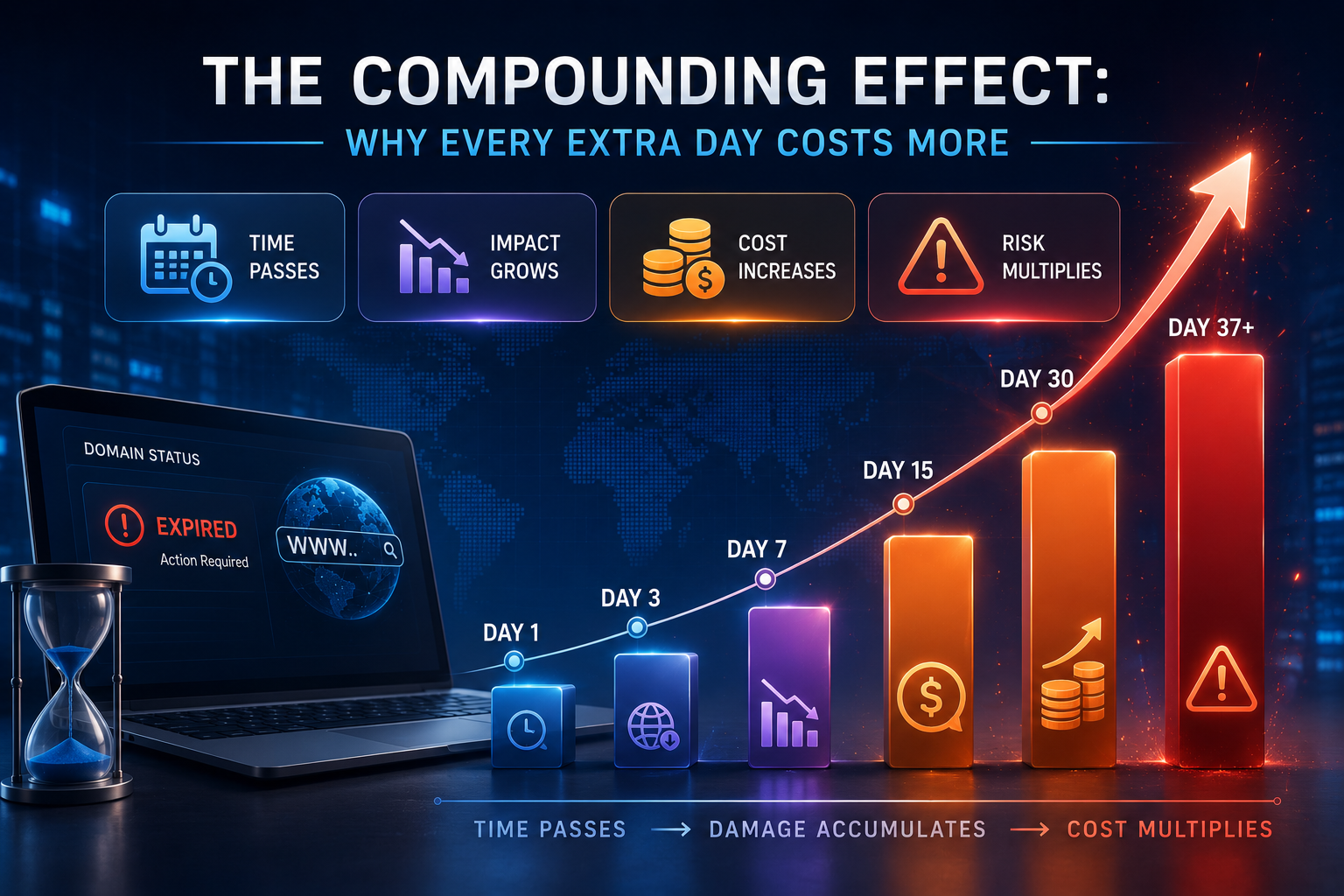
What makes domain expiry uniquely dangerous compared to other technical failures is the compounding effect. Each day of expiry does not cause a fixed amount of damage — it multiplies the damage already accumulated.
| Timeline | Recoverable? | Cost to Recover |
|---|---|---|
| Hour 0–24 | Yes — instantly | Standard renewal price. Minimal damage if caught immediately. |
| Day 1–3 | Yes — immediately | Standard renewal + reputation repair with affected visitors. |
| Day 3–7 | Yes — but SEO damage has started | Standard renewal + 1–3 months SEO recovery effort. |
| Day 7–30 | Yes — within grace period | Standard renewal + 3–6 months SEO recovery + email reputation work. |
| Day 30–37 | Yes — at redemption cost | Redemption fee (₹5,000–₹30,000) + months of SEO and trust recovery. |
| Day 37+ | Only if squatter hasn’t taken it | Potentially ₹50,000–₹5,00,000+ ransom, legal action, or permanent loss. |
The table above makes one thing crystal clear: the cost of recovery escalates exponentially with time. And every phase from Hour 1 onwards carries damage that a simple renewal does not automatically undo.
The Four Business Consequences That Renewal Alone Cannot Fix
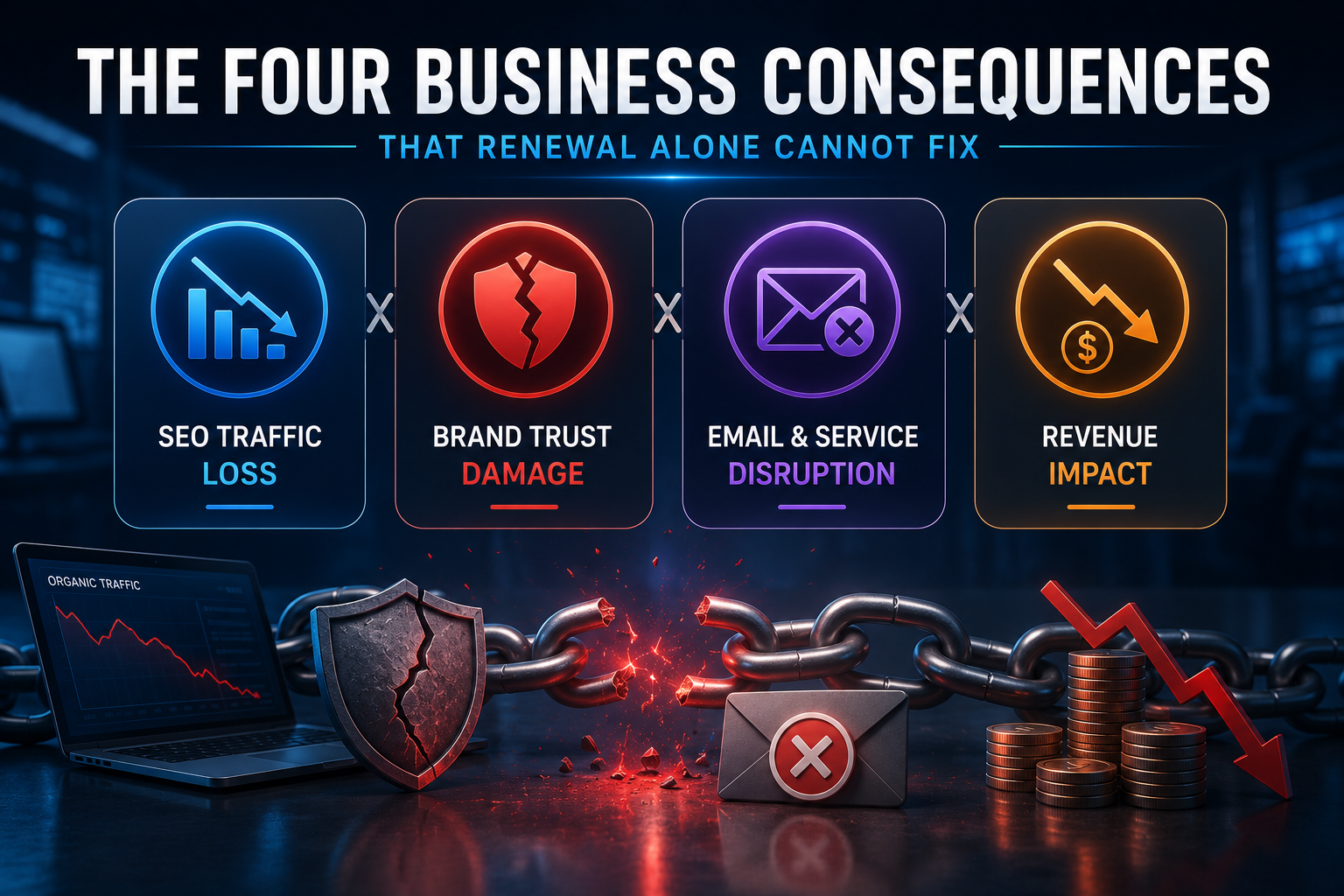
Here is what most guides about domain expiry fail to mention: renewing the domain stops the expiry timeline, but it does not reverse the damage already done. There are four specific consequences that persist long after the domain is back online.
1. SEO Equity Takes Months to Rebuild
Search engines do not instantly restore rankings when a domain comes back online. The crawl data showing the domain was broken, unreachable, or insecure is processed over time. Depending on how long the domain was down and how authority-heavy the site was, full ranking recovery can take 3 to 6 months of consistent, active SEO work.
During those months, organic traffic — and the leads and revenue it generates — is suppressed. Paid advertising may be required to compensate, adding direct cost on top of the recovery effort.
2. Email Sender Reputation Recovers Slowly
Email providers score the sending reputation of every domain continuously. When a domain goes offline, bounces incoming mail, and sends from a compromised infrastructure, that reputation score drops. It does not snap back to its previous level the moment the domain is renewed.
For weeks after restoration, emails from your domain may continue to be filtered to spam or rejected by recipient mail servers — particularly Gmail and Outlook, which are the most aggressive filters. Sales emails, proposals, client communications, and transactional emails all suffer during this window.
3. Customer and Client Trust Has a Long Memory
Customers who encountered a broken or missing website during the expiry window do not automatically return when it comes back. Many will have already found an alternative. Those who do return may now carry a residual doubt about your reliability — especially if the downtime was extended or unexplained.
“We lost a client of four years because their website went down for three days while we were between team members. They didn’t complain. They just didn’t renew. We found out when the invoice went unpaid.”
— Agency owner sharing their domain expiry experience
4. Backlink Equity May Be Permanently Disrupted
If your domain was offline long enough for other websites to update their links — replacing broken links to your domain with links to competitors or alternatives — that backlink equity is gone. You cannot reclaim it just by bringing the domain back online. The linking site has moved on, and their link now points somewhere else.
For sites that have spent years building backlinks as part of an SEO strategy, this is one of the most painful long-term consequences of an extended domain expiry.
Real Scenarios: What Domain Expiry Looks Like for Different Businesses
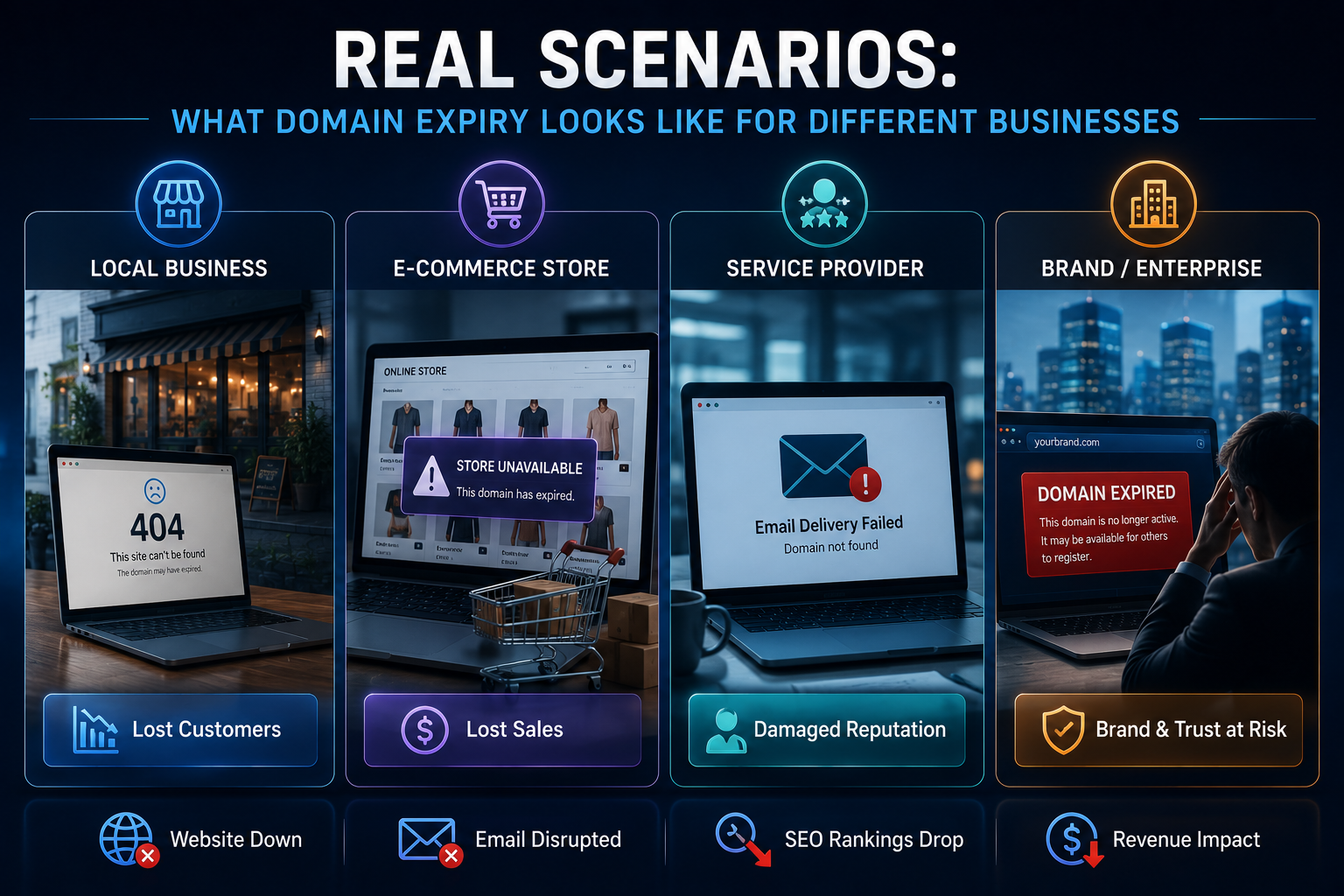
Domain expiry does not affect all businesses equally. Here is how the timeline plays out across three common business types.
Scenario A: E-Commerce Business
An online store loses all revenue the moment the domain goes down. Every visitor who encounters a broken link or a parking page is a lost transaction. For a store doing ₹50,000 per day in sales, a 3-day expiry window means ₹1,50,000 in direct lost revenue — before accounting for abandoned carts, lost recurring customers, and the SEO ranking damage that suppresses traffic for months afterward.
Payment processors and shipping integrations may also break, creating additional operational disruption that takes time to reset even after the domain is restored.
Scenario B: Service Business or Agency
For a service business — a law firm, accountancy practice, marketing agency, or consultant — the website is the primary trust signal for new clients. A prospective client who finds a broken or missing website during a domain expiry simply goes to the next result on Google.
They do not call to ask what happened. They do not bookmark the site to check back later. They make a decision based on what they see at the moment they look — and what they see is a business that does not have its digital presence under control.
Scenario C: Agency Managing Client Websites
This is the highest-stakes scenario. An agency that manages websites for multiple clients is not just risking its own domain — it is responsible for every client domain in its portfolio. A single missed renewal in a client’s account creates a support crisis, a trust crisis, and a potentially client-ending conversation.
When multiplied across 20, 30, or 50 client domains — each on its own renewal cycle, each managed through a different registrar — the risk is not theoretical. It is a mathematical certainty that manual tracking will eventually fail.
The Scale Problem
For an agency managing 30 client domains: if even 5% of renewals are missed in a year — just 1 or 2 domains — the resulting client relationships damage and recovery cost will far outweigh the cost of the automated monitoring system that would have prevented every single one.
How to Prevent the Entire Timeline From Starting
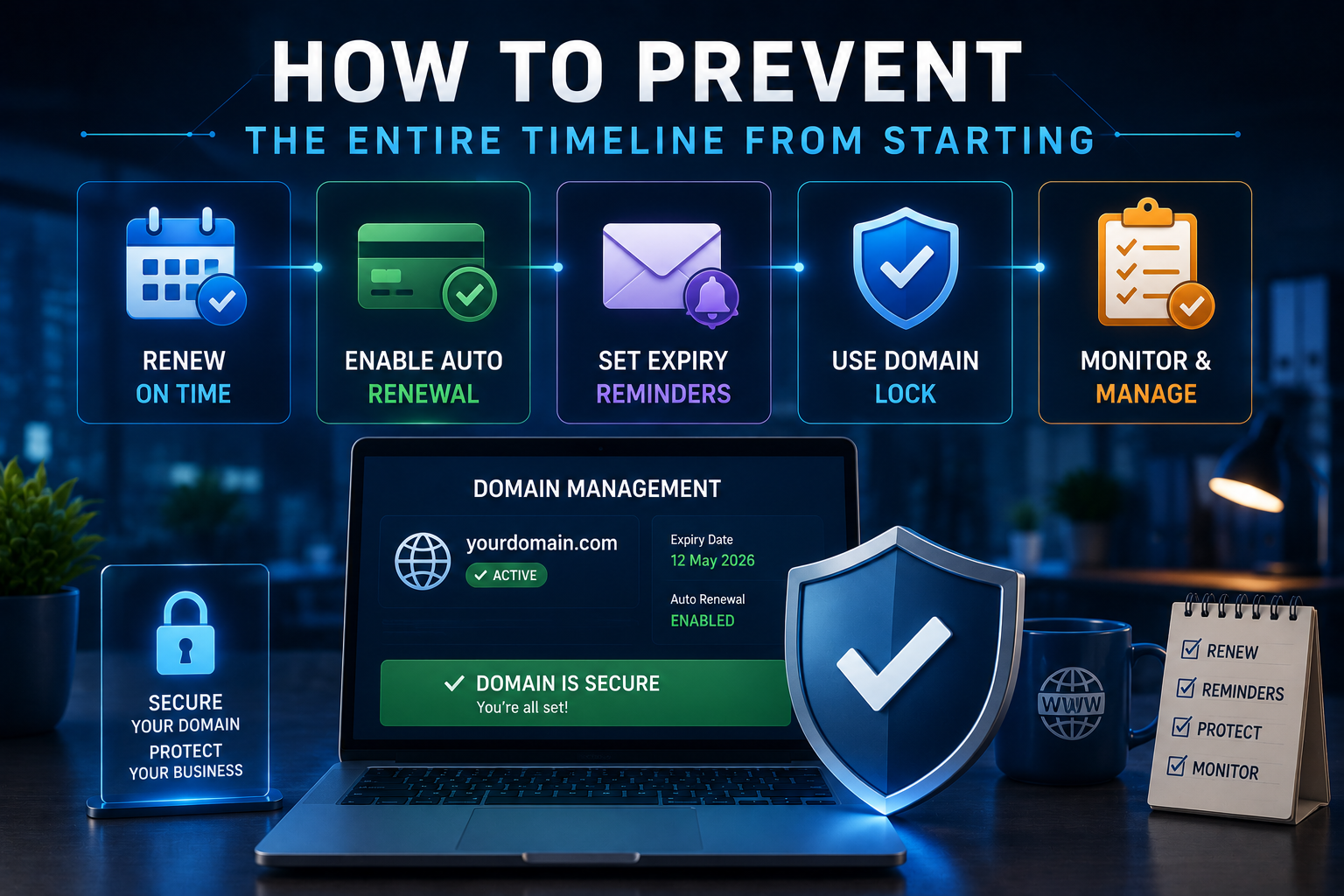
Every phase in the domain expiry timeline — from Hour 0 to the public auction at Day 37 — is entirely preventable. Not with more spreadsheet columns or more aggressive calendar reminders, but with a monitoring system that tracks domain status actively and alerts you automatically well before any expiry window begins.
Here is what an effective domain management system prevents:
- Silent expiry — where the domain lapses without anyone noticing until a visitor reports it.
- Auto-renewal failure — where the payment silently fails and the domain enters the expiry timeline undetected.
- Grace period drift — where a team knows the domain has lapsed but assumes the grace period provides a comfortable buffer (it does not — damage is already accumulating).
- Squatter acquisition — where the domain goes public and is purchased before the renewal is processed.
- SEO damage accumulation — where days of inaction inside an expiry window allow search engine penalties to deepen.
The standard of protection that prevents all of these is straightforward:
- A 15-day advance alert — not a same-day reminder, not a 3-day warning, but a full 15 days of advance notice that gives any team comfortable time to process the renewal without urgency.
- An active monitoring system that checks the actual domain registration status daily — not one that relies solely on a registrar’s email reminder.
- A unified view of all domains under management — so no single domain is invisible or forgotten inside a growing portfolio.
- Tracking of hosting and professional email alongside the domain — because all three can expire independently, and all three create the same class of damage when they do.
What Happens When the Right System Is In Place
The domain monitor detects an upcoming expiry 15 days before the deadline. An automated email alert is sent immediately. The renewal is processed at a convenient time — no urgency, no panic, no crisis. The website stays online without interruption. Email keeps delivering. SEO is completely unaffected. The client never knows there was ever a risk. The agency’s reputation stays intact. This is the outcome that automated domain monitoring delivers, every time.
How Codxpert's Domain Manager Protects Every Domain You Manage
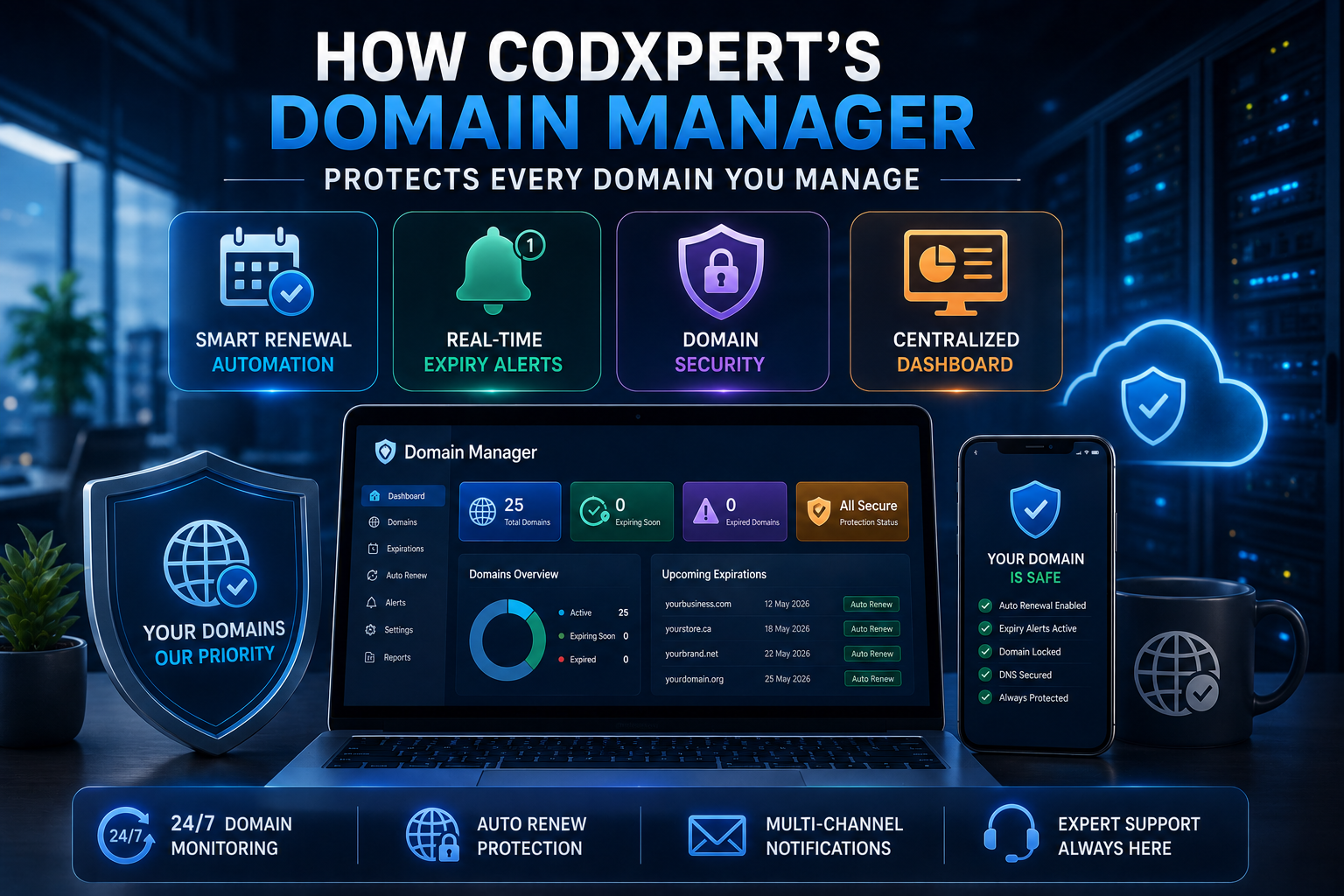
Codxpert built its Domain Manager as a direct response to the scale problem — the reality that manual domain tracking simply does not hold up as a client portfolio grows.
Domain Registration Monitoring
- Track every domain’s registration expiry date — per client, in a single dashboard.
- Automated email alert fires 15 days before any domain is due for renewal.
- Color-coded status indicators: green (safe), yellow (expiring within 30 days), red (critical — 15 days or less). Nothing at risk is ever hidden.
- Daily background scans update every domain’s status automatically — no manual checking required.
Hosting & Professional Email Tracking
- Web hosting contract expiry tracked alongside the domain — in the same dashboard row.
- Professional email accounts (info@, hello@, support@) linked to each domain in an expandable view — tracked and alerted separately.
- Because domains, hosting, and email expire independently, all three need independent monitoring. Codxpert tracks all three together, per client, in one place.
SSL Certificate Monitoring — Combined Protection
- The SSL Monitor works alongside the Domain Manager — giving a complete picture of every domain’s security and registration health.
- SSL alerts fire 7 days before certificate expiry. Domain alerts fire 15 days before registration expiry. Both are automated, both are immediate.
- One dashboard. Every client. Every domain. Every certificate. Every hosting contract. Every email account. All monitored. All alerted. Nothing missed.
The Core Promise
You should never find out that a client’s domain has expired from the client calling you. You should find out from an automated alert 15 days earlier — with two full weeks to process the renewal before a single visitor, a single email, or a single search ranking is affected. That is exactly what Codxpert’s Domain Manager delivers.
Never Let a Domain Expire on Your Watch Again
Codxpert’s Domain Manager monitors every domain, hosting contract, and professional email account you manage — sending automated alerts 15 days before anything is due for renewal. Combined with our SSL Monitor, it gives you complete, real-time visibility of every digital asset across every client — in one dashboard.
One system. Zero missed renewals. Every client protected.
FAQs (Frequently Asked Questions)
What happens immediately when a domain expires?
The domain’s registration status changes in the registrar’s system at the exact moment of expiry. Within hours, DNS propagation begins reflecting the change — visitors start seeing broken websites or registrar parking pages, and professional emails on the domain begin to fail. The damage starts at Hour 0, not after a grace period.
How long is the grace period after a domain expires?
Grace period length varies by registrar and top-level domain. For .com domains, the grace period is typically 0 to 30 days at standard renewal price, followed by a redemption period of approximately 30 days at a significantly higher redemption fee. After the redemption period, the domain is released to the public. However, even within the grace period, all the damage described above — website downtime, email failures, SEO erosion — is already accumulating.
Can I get my domain back after it has been purchased by someone else?
Potentially — but it is expensive, uncertain, and slow. Options include: negotiating a purchase price directly with the new owner (often ₹50,000 to ₹5,00,000+ for established domains), filing a UDRP (Uniform Domain-Name Dispute-Resolution Policy) complaint with ICANN if the domain was acquired in bad faith (a legal process that takes months and is not guaranteed to succeed), or accepting that the domain is gone and rebuilding under a new name. Prevention is incomparably easier and cheaper.
Is auto-renewal enough to protect my domain?
Auto-renewal significantly reduces risk but is not a complete safeguard. It fails silently when payment methods expire, when billing addresses mismatch, or when the registrar has a technical issue. Active monitoring that checks the actual domain registration status — independent of the registrar’s billing system — is the only fully reliable protection. Auto-renewal and active monitoring used together provide the strongest defence.
How does domain expiry affect my email?
Professional email accounts that use your domain name (info@yourbusiness.com) depend on the domain’s DNS records to route incoming and outgoing mail. When the domain expires and DNS stops resolving correctly, inbound emails bounce and outbound emails fail to deliver. This email disruption begins within hours of expiry and continues until the domain is renewed and DNS propagation is restored — a process that itself takes 24 to 48 hours. Sender reputation damage from the disruption can persist for weeks afterward.
What is the difference between domain expiry and SSL expiry?
Domain expiry means the registration of the domain name itself — yourcompany.com — has lapsed. SSL expiry means the security certificate attached to the website has expired, causing browsers to show a ‘Not Secure’ warning. They are separate issues with separate expiry dates, separate providers, and separate consequences — though both can take a site offline or damage visitor trust. The safest approach is to monitor both simultaneously, which is exactly what Codxpert’s combined SSL Monitor and Domain Manager provides.
What is the difference between domain expiry and SSL expiry?
Domain expiry means the registration of the domain name itself — yourcompany.com — has lapsed. SSL expiry means the security certificate attached to the website has expired, causing browsers to show a ‘Not Secure’ warning. They are separate issues with separate expiry dates, separate providers, and separate consequences — though both can take a site offline or damage visitor trust. The safest approach is to monitor both simultaneously, which is exactly what Codxpert’s combined SSL Monitor and Domain Manager provides.

Shadab Alam
Founder of CodXpert • Co-Founder of Anterpreneur & Niagara Print Express
Shadab Alam is an entrepreneur, technology strategist, and the Founder of CodXpert, as well as Co-Founder of Anterpreneur and Niagara Print Express (NPE). With expertise in software engineering, artificial intelligence, SEO, digital transformation, and business strategy, he empowers businesses to innovate, automate processes, and accelerate sustainable growth through modern technology and data-driven solutions.