Task Management Software That Brings Your Whole Business Together
Taskly by CodXpert - Task Management Software
If your team runs on WhatsApp groups, scattered Excel sheets, and a dozen forgotten email threads, you already know the problem. Someone misses a deadline because the update was buried in a chat. A leave request gets lost. Nobody’s sure which version of the project file is the real one.
Modern businesses need one place where projects, employees, attendance, communication, and reporting come together. That’s exactly what Taskly by CodXpert is built for.

What Is Taskly by CodXpert?
Taskly is an all-in-one cloud-based task management software built by CodXpert, a software development company that specializes in practical, business-focused digital tools.
Instead of juggling a project management app, a separate attendance system, a leave portal, and a messaging tool, Taskly brings all of it into one dashboard:
- Project management
- Task tracking
- Attendance
- Leave management
- Calendar and scheduling
- Team messenger
- Real-time notifications
- Holiday management
- Reports
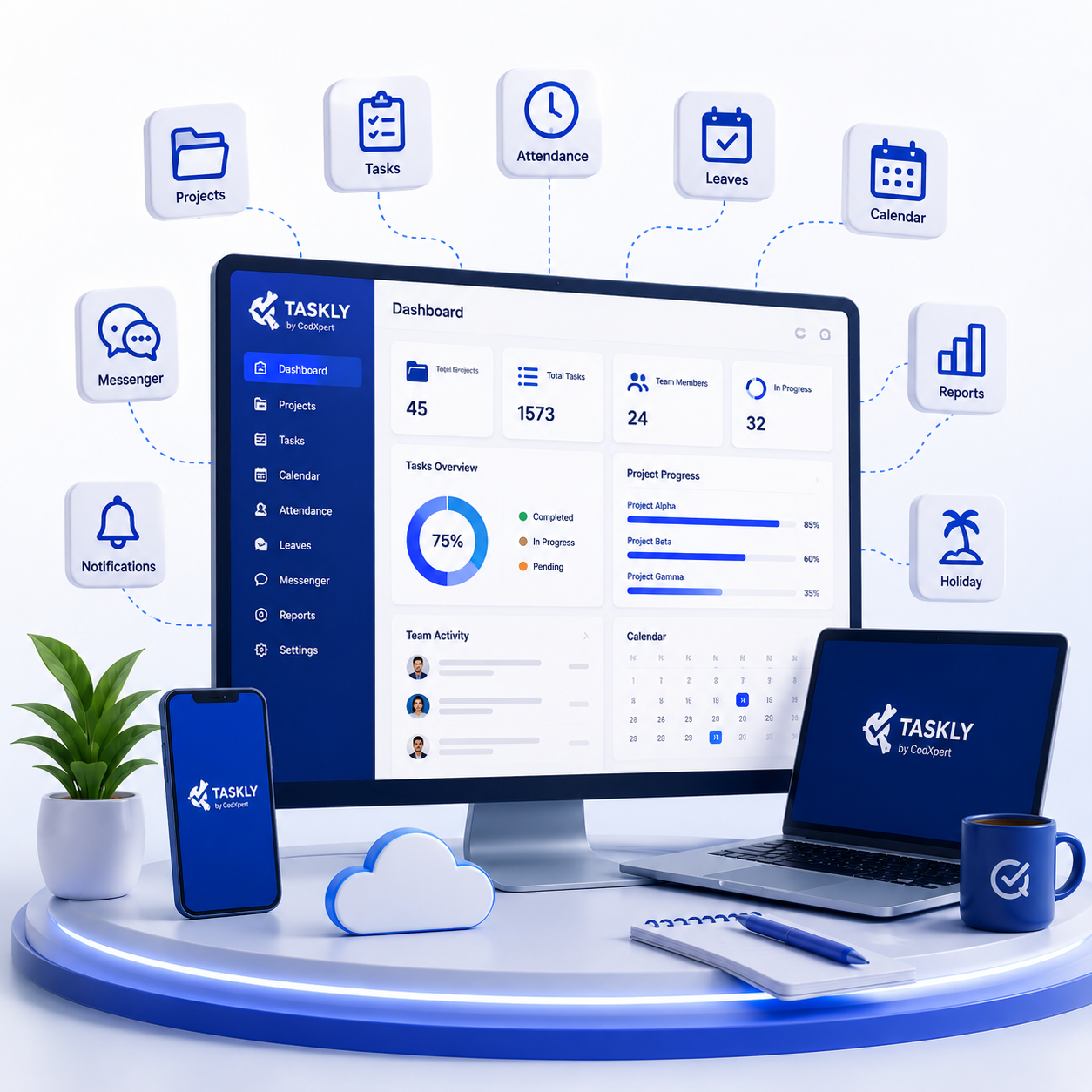
Quick take: Taskly isn’t just a to-do list app. It’s a full work management software platform designed to replace the patchwork of spreadsheets, chats, and standalone apps most growing teams end up using.
A Closer Look at Taskly's Core Features
Dashboard: Your Business at a Glance
The Taskly dashboard gives you an instant snapshot of what’s happening across your company – total projects, total tasks, open bugs, and active users, along with a running count of completed versus pending work.
It also surfaces your own attendance status (clocked in, on break, or clocked out) and a weekly timesheet compliance view, so you always know where you stand without digging through menus.
Project Management
Under Projects, teams can create new projects, assign team members, and track everything from task counts to comments in one card-style view. Each project shows its status clearly – Ongoing, Finished, or On Hold – along with due dates and linked resources like shared drive folders.
This matters because “what’s the status of this project?” is one of the most repeated (and most time-wasting) questions in any office.
Task Management
Tasks in Taskly can be assigned to specific people, given priorities, tied to milestones, and tracked through to completion. The task list shows the project it belongs to, due date, total hours logged, who assigned it, current status, and priority – all sortable and searchable.
This is where task tracking software earns its keep: instead of chasing people for updates, you can see task status directly.
Calendar
The calendar view organizes tasks by month, week, or day, so teams can plan ahead and see deadlines before they sneak up. Clicking into a date shows every task scheduled for that day, alongside a running task list on the side panel.
Attendance Management
Taskly’s attendance module lets employees clock in, take breaks, and clock out, with shift details (like a General 1 PM-10 PM shift) shown right on the dashboard. This replaces manual attendance registers and gives HR teams a reliable digital record of work hours.
Leave Management
The Leaves section handles the full leave cycle – employees apply for sick leave, casual leave, half-day leave, or floating leave, and managers approve or reject requests directly in the system. A leave balance summary shows exactly how many days each employee has used against their allowance, with export options to Excel or PDF for record-keeping.
Holiday Management
The Holidays module lists the full company holiday calendar for the year, including fixed holidays and floating holidays, so employees and managers can plan work schedules around them without guesswork.
Notifications
Real-time notifications alert users the moment a task is assigned, a project is updated, or a comment is added. Instead of relying on someone to remember to send a follow-up email, Taskly pushes the update automatically.
Messenger
Taskly includes a built-in messenger for internal communication, with favorites, saved messages, and a searchable contact list – reducing the need to jump into email or a separate chat app for quick, work-related conversations.
Why Businesses Need One Centralized Work Management System
Most teams don’t lack effort. They lack a system. Here’s what usually goes wrong with a patchwork setup:
- Excel sheets go out of date the moment two people edit different copies.
- WhatsApp buries important updates under casual chat.
- Email turns simple approvals into long, confusing threads.
- Manual attendance registers are easy to fudge and hard to audit.
- Paper leave requests get lost or approved twice.
- Missed deadlines happen because no one owns the task clearly.
- Poor communication means the same question gets asked five times.
- Scattered files make it hard to know which version is final.
A centralized business workflow software like Taskly solves this by giving every task, approval, and update a single source of truth. When attendance, leaves, projects, and messaging live in one dashboard, accountability naturally improves – because everyone can see the same information at the same time.
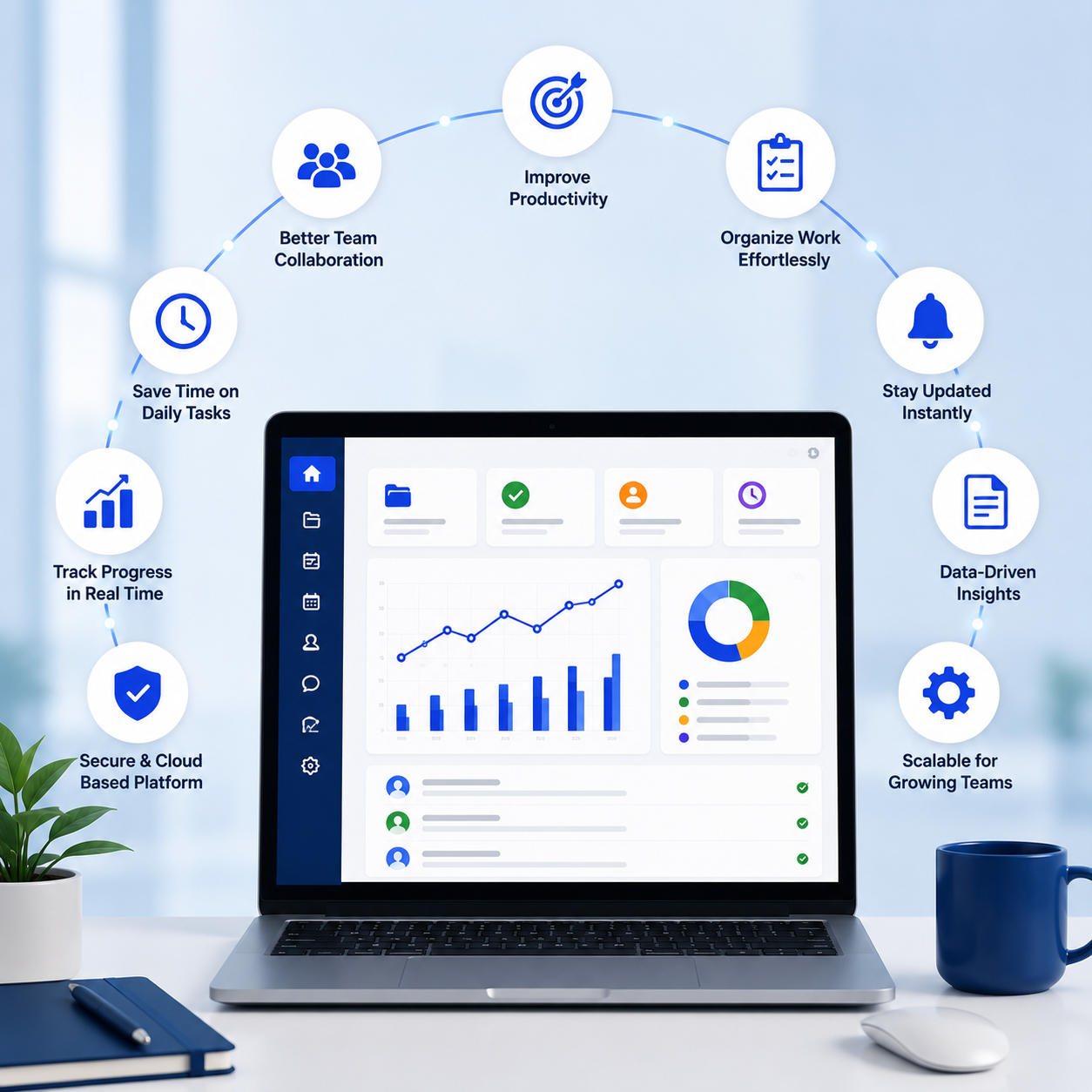
Benefits of Using Taskly by CodXpert
- Increased productivity – less time spent searching for updates, more time doing actual work
- Time savings – no more manually compiling status reports from five different sources
- Better accountability – every task has an owner, a deadline, and a visible status
- Stronger collaboration – comments, messenger, and notifications keep everyone in sync
- Centralized communication – fewer emails, fewer missed messages
- Real-time updates – status changes are visible the moment they happen
- Lower operational costs – one platform instead of several paid tools
- Improved employee performance – clear priorities and visible deadlines
- Easier reporting – attendance, leave, and project data export in a few clicks
- Room to scale – the system grows with your team, from a 5-person startup to a multi-department company
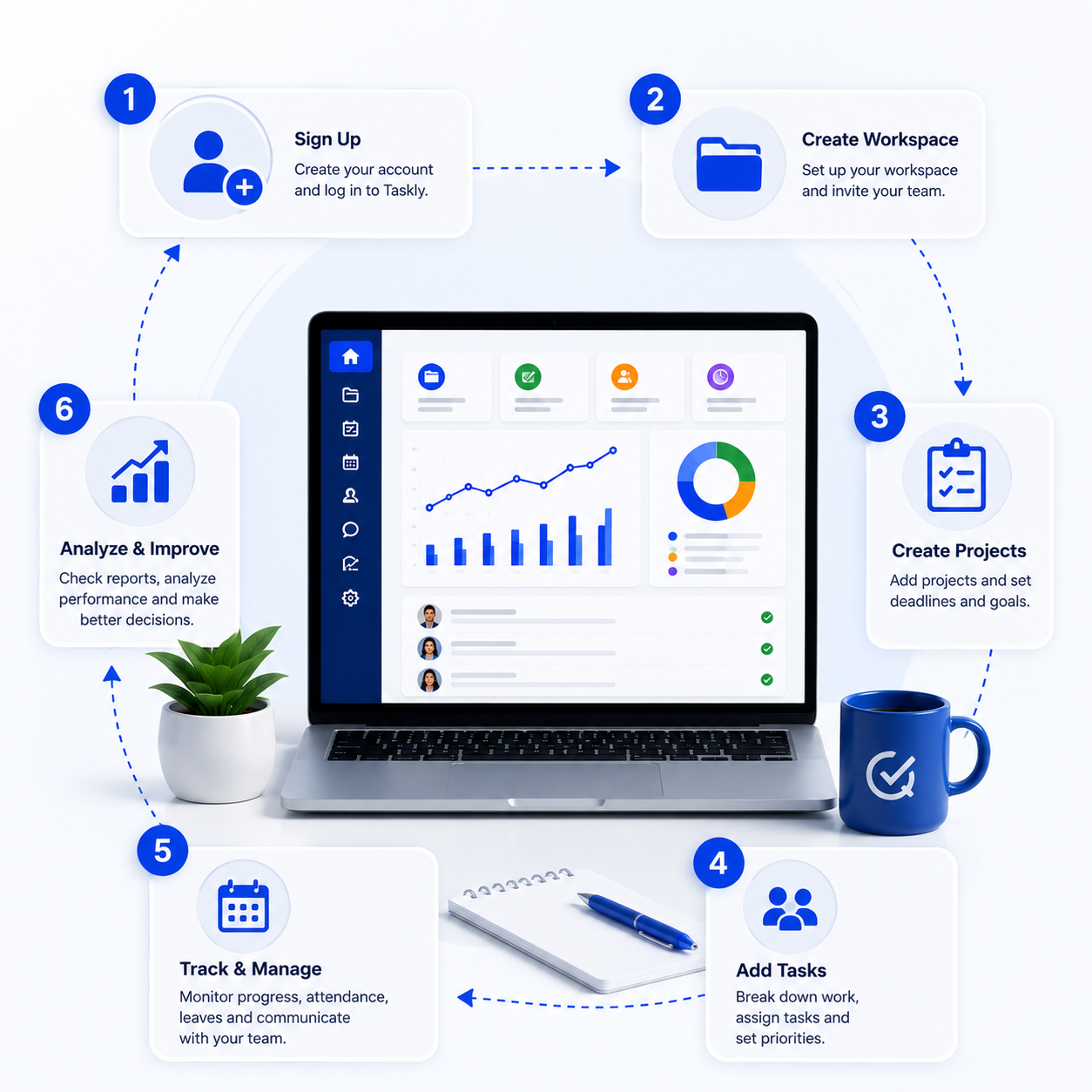
How to Use Taskly by CodXpert
- Create your company workspace – set up your organization inside Taskly.
- Add employees – invite your team members to the platform.
- Create projects – set up ongoing work with due dates and descriptions.
- Assign tasks – break projects into tasks with clear owners and priorities.
- Track attendance – let employees clock in and out and manage breaks.
- Manage leaves – employees apply, managers approve, balances update automatically.
- Monitor project progress – check status across Ongoing, Finished, and On Hold projects.
- Use notifications – stay updated on assignments and comments in real time.
- Generate reports – export attendance and leave data for payroll or audits.
- Grow your business efficiently – with everything centralized, scale your team without scaling the chaos.
Taskly vs Traditional Management
| Function | Traditional Management | Taskly by CodXpert |
|---|---|---|
| Attendance | Manual registers or spreadsheets | Digital clock in/out with shift tracking |
| Leave Management | Paper forms or email requests | Online apply-and-approve with balance tracking |
| Projects | Scattered files and folders | Centralized project dashboard |
| Tasks | To-do lists or sticky notes | Assigned tasks with priority and status |
| Messenger | Separate chat apps | Built-in team messenger |
| Notifications | Manual follow-up emails | Real-time automated alerts |
| Calendar | Personal calendars, not shared | Shared team calendar with task scheduling |
| Reports | Manually compiled | Exportable attendance and leave reports |
| Central Dashboard | None – data lives in silos | One dashboard for everything |
| Team Collaboration | Fragmented across tools | Unified across projects, tasks, and chat |
Who Can Use Taskly?
Why Choose CodXpert
Choosing the right work management software is about more than features. It is about partnering with a team that has already built and used the system it is selling you. Taskly was built by CodXpert, a team based in India that also builds websites and custom software for clients in Canada, Dubai, Australia, Saudi Arabia, Kenya and Egypt. We believe one person with the right tools and AI support can now manage the work that used to take a full team, and Taskly is built around that belief. We offer a free trial so you can see this for yourself before committing to anything.
Start Managing Your Team Smarter Today
Discover how Taskly by CodXpert can simplify project management, task tracking, attendance, leave management, team collaboration, and reporting-all from one powerful platform. Fill out the form below to schedule a free demo or start your free trial today.
We respect your privacy. Your details are used solely to schedule your demo and will never be shared with third parties.
FAQs (Frequently Asked Questions)
What is Taskly by CodXpert?
Taskly is an all-in-one cloud-based task and work management platform that combines project management, attendance, leave management, calendar scheduling, messaging, and notifications in a single dashboard.
Is Taskly suitable for small businesses?
Yes. Taskly is built to scale from small teams to larger organizations, making it a practical task management software for small businesses as well as growing companies.
Can Taskly manage attendance?
Yes. Taskly includes clock in/out functionality, break management, and shift tracking as part of its attendance management module.
Does Taskly support leave management?
Yes. Employees can apply for sick leave, casual leave, half-day leave, or floating leave, and managers can approve requests directly in the system with automatic balance tracking.
Can I assign tasks to employees?
Yes. Tasks can be assigned to specific team members with due dates, priorities, and milestone tracking.
Is there a built-in messenger?
Yes. Taskly includes an internal messenger so teams can communicate without switching to separate chat apps.
Does Taskly send notifications?
Yes. Real-time notifications alert users when tasks are assigned, projects are updated, or comments are added.
Can remote teams use Taskly?
Yes. Because Taskly is cloud-based, remote and distributed teams can access projects, tasks, attendance, and messaging from anywhere.
Is Taskly cloud-based?
Yes. Taskly runs entirely in the cloud, so there’s no local software installation required to get started.
How do I start a free trial?
Visit taskly.codxpert.com and sign up for the free trial, or reach out to the CodXpert team to book a guided demo.